Online appointment booking: a ready-made tool or your own solution?
For online appointment booking, a ready-made tool is enough for most small businesses, as long as it offers a data processing agreement and sends reminders. Your own solution pays off when booking depends on how you work, for example on tables, rooms, pre-orders or payments that no tool handles that way.
- Written by
- David Nawloka
- Responsible editor
- David Nawloka
- Published
9 min read
What you will know afterwards
- You know what ready-made booking tools cost and what the free plans leave out.
- You know what the GDPR requires of a booking tool and where the data is stored.
- You know when your own booking solution pays off.
If you hand out appointments, you know the pattern. The phone rings during a treatment, a message arrives at 10 pm, and an appointment goes back and forth three times before it is fixed. Online appointment booking takes this work off your hands. The real question is which kind: a ready-made tool on a subscription, or a solution built around your business.
This post compares the two on cost, data protection and how to handle customers who do not turn up, as of 20 October 2026. It is not legal advice.
What an online appointment booking system does
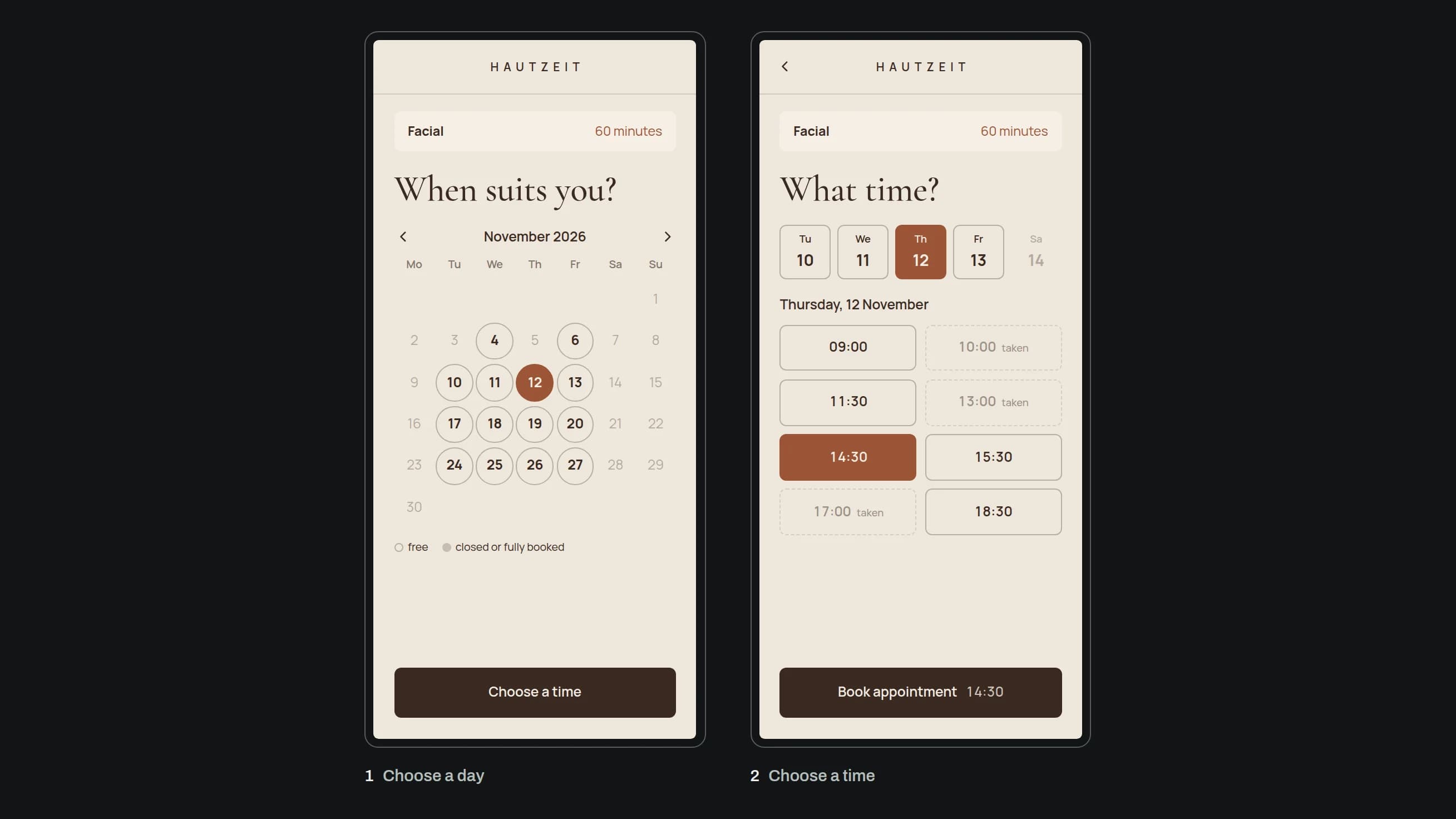
A booking system shows your customers only the times that are actually free. To do that, it reads your calendar, your opening hours and how long the service takes. The customer picks a day and a time, gets a confirmation at once and a reminder before the appointment. She can reschedule or cancel herself, without calling.
Almost every tool can do these basics. The differences are in the details: how many staff can be booked, whether there are reminders and how they are sent, where the data is stored, and whether the booking page fits your website.
What does an appointment booking system cost?
Ready-made tools are usually billed per person who offers appointments. Three well-known examples, each according to the provider's own pricing page:
- Calendly: The free plan allows one event type and one connected calendar. The Standard plan costs €10 per seat per month billed yearly or €12 billed monthly, and only from this plan on do you get automatic reminders and cancellation policies.1
- Microsoft Bookings: is included in Microsoft 365, even in the smallest plan, Business Basic. In Austria that costs €6.07 per user per month plus VAT, billed yearly.2
- Google Calendar: With a personal Google account you can set up a single booking page. Automatic e-mail reminders, more than one booking page and payments require a paid Google Workspace or Google One subscription.3
So "free" usually means without reminders and for one person. If five people offer appointments, you pay the seat price five times, every month, for as long as you use the tool.
Your own solution turns this around. You pay once for development and then for running and looking after it, but no fee per person on the team. What that costs depends on the scope. At bown, you get a written quote with scope, stages, timeline and costs after the first call.
Is online appointment booking GDPR compliant?
A tool is never "GDPR compliant" on its own. What counts is how you use it. You decide why names, phone numbers and appointments are processed, which makes you the controller. The tool's provider processes the data on your behalf and is the processor.4
That leaves three things to check:
- Data processing agreement: The GDPR requires a contract that sets out, among other things, the subject matter, duration and purpose of the processing and the type of data. It has to be in writing, which can be electronic.5 Reputable providers offer one to sign, often called a "DPA".
- Where the data is stored: Calendly stores user and invitee data in data centres in the United States and names standard contractual clauses in its agreement as the basis for the transfer.6 The company is also certified under the EU-US Data Privacy Framework.7 The European Commission recognised this framework as adequate on 10 July 2023.8 The General Court of the EU dismissed an action against it on 3 September 2025.9 An appeal to the Court of Justice is pending.10 With Microsoft Bookings, the data is stored in Exchange Online and follows Microsoft 365's storage policies.11
- Embedding it on your website: If a provider's embedded booking window sets cookies that are not strictly necessary, § 165(3) of Austria's Telecommunications Act 2021 requires consent first.12 A plain link to the booking page avoids the question. When a cookie banner is required is explained in Cookie banners in Austria.
Your own solution can run on a server in the EU that you or your agency know, with no transfer to the United States. bown runs its own servers in a data centre in the EU for this. How the hosting behind it works is in Where your website actually lives.
Reminders: the answer to no-shows
Someone who forgets an appointment does not come. Microsoft explicitly describes e-mail and SMS notifications as a way to reduce no-shows.11 Yet this is exactly the feature the free plans leave out.
The differences are in the small print. On the paid plans, Google Calendar sends up to five e-mail reminders, but you cannot edit their text.13 Microsoft Bookings can also send text messages, but only to phone numbers from the United States, Canada and the United Kingdom.14 For customers with an Austrian number, Bookings leaves you with e-mail. If you need SMS, check this before you choose a tool.
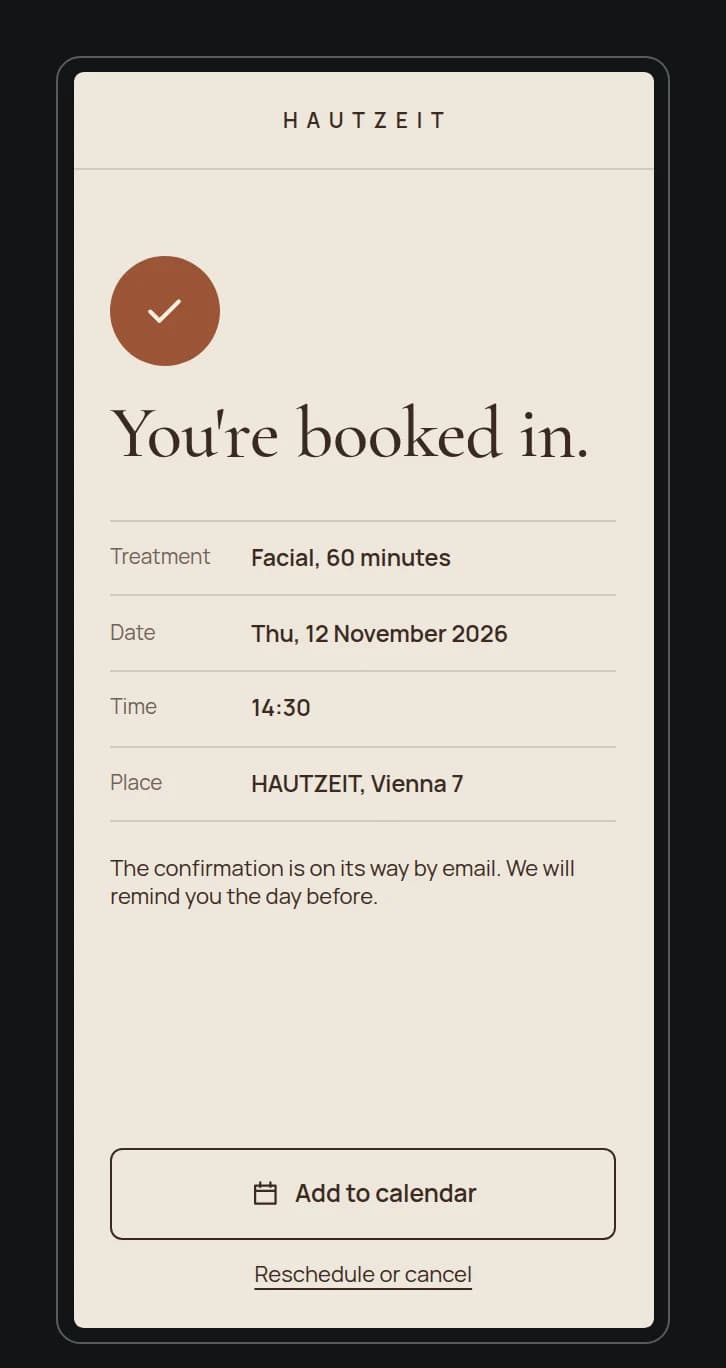
The cancel button matters as much as the reminder. It makes it easy to let you know in time, and the slot becomes free again.
No-show fees in Austria: what applies when someone does not turn up?
If someone does not turn up, Austria's Civil Code, § 1168 ABGB, applies. Under it, you are still owed the agreed fee if the service does not take place because of circumstances on the customer's side, provided you were ready to perform. You have to deduct what you saved as a result or earned elsewhere instead.15
The hairdressers' guild in Tyrol explains this in practical terms. Without an agreement, you can rely on this rule directly and charge for the blocked time, minus the materials you saved. It does, however, recommend agreeing a cancellation fee in advance, in writing for proof, because hardly anyone knows the statutory rule and an invoice would otherwise come as a surprise.16
A booking system helps twice here. It shows the cancellation rule at the time of booking and records that the customer accepted it. Calendly includes cancellation policies from the Standard plan.1 Whether, and at what amount, a fee can be enforced in a given case is something to clarify with a lawyer or your guild.
When your own solution pays off
A ready-made tool books people and time slots. As soon as your workflow needs more, you start working around its limits. Your own solution pays off when at least one of these applies:
- You hand out more than time: tables, rooms, equipment or places with their own capacity.
- A purchase is tied to the booking: a pre-order, a deposit, a minimum spend.
- Many people can be booked: with a large team, the price per seat becomes the biggest item.
- The data should stay with you: on a server in the EU, without a transfer to the United States.
- Booking should be part of your website: in your design, without a third-party window.
One example from our work is the table booking for the club ONYX in Graz. Guests first choose how many of them there are, then pick a table on the floor plan, pre-order drinks and finally enter their details. Each table shows its seats and its minimum spend, and the selection on the right keeps showing how much is still missing.
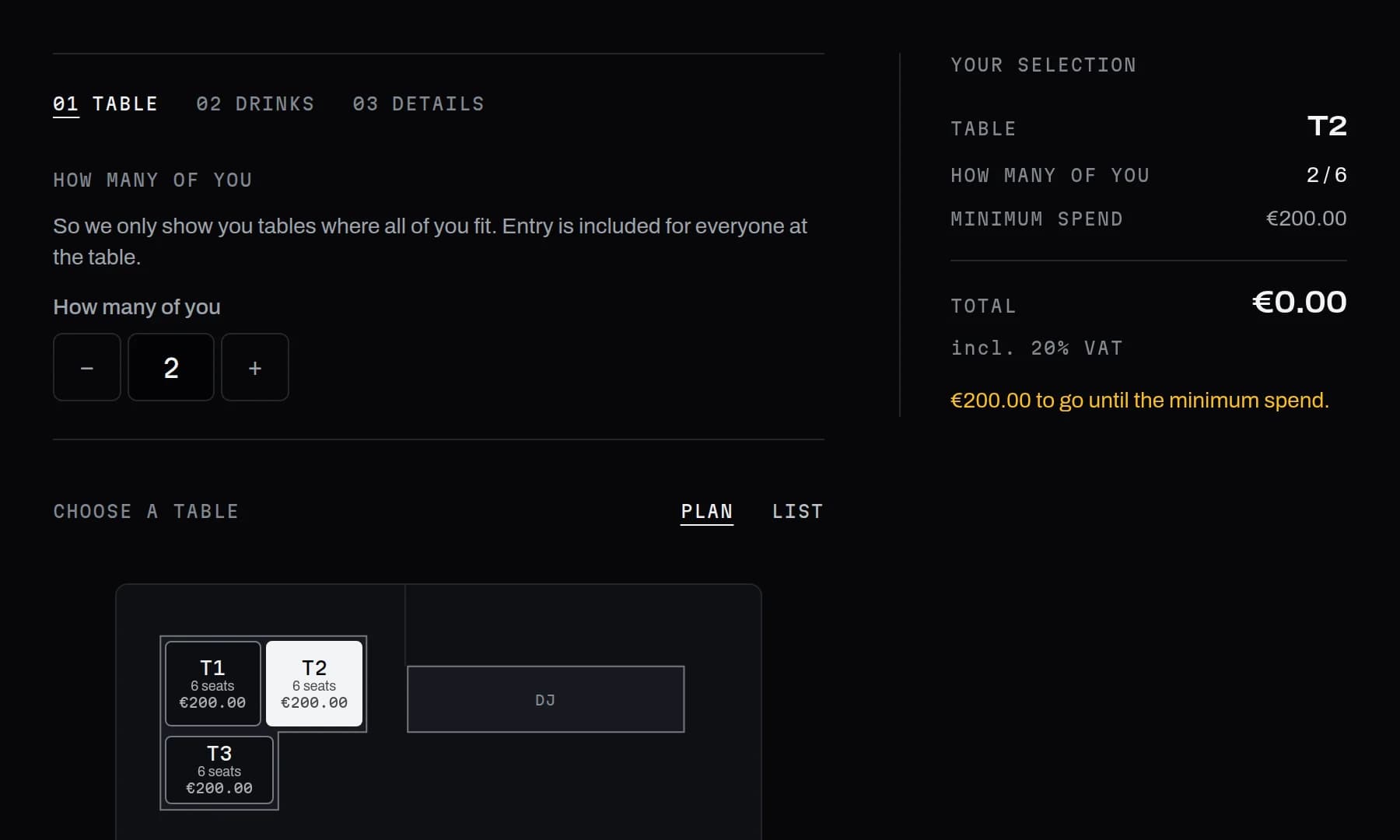
That is not an appointment with a time, but a reservation with a place, a capacity and an order. An appointment tool does not cover it. How reservations work as part of selling online is also covered in When an online shop pays off for your business.
Adding appointment booking to your website and to Google
Tool or your own solution, booking has to be where customers look. On your website, the booking button belongs on the first screen and on every service page.
In your Google Business Profile, you can add up to ten links for appointment booking and mark one of them as preferred.17 How to set up and maintain the profile is in Setting up and maintaining your Google Business Profile.
How to decide
Answer three questions before you sign up for a subscription:
- Do you only hand out time with a person, or also tables, rooms and orders?
- How many people can be booked, and what will the tool cost for them over three years?
- Does the provider offer a data processing agreement, where is the data stored, and do reminders work for Austrian numbers?
If a ready-made tool fits all three answers, use it. If it does not, talk to someone who builds your workflow as an application.
Notes
-
Calendly, "Pricing | Calendly", accessed 20 October 2026. Prices in euros, as the page shows them when the euro is selected as the currency. 2
-
Microsoft, "Microsoft 365-Preise für Business: Pläne & Funktionen" (Microsoft 365 business pricing: plans and features), accessed 20 October 2026. The page lists Microsoft Bookings among the apps included in Business Basic.
-
Google Calendar Help, "Compare premium features for appointment schedules", accessed 20 October 2026.
-
WKO, "Verantwortlicher und Auftragsverarbeiter: Unterschied" (Controller and processor: the difference), 9 October 2026, accessed 20 October 2026.
-
EUR-Lex, Regulation (EU) 2016/679 (General Data Protection Regulation), Article 28(3) and (9), accessed 20 October 2026.
-
Calendly Help, "Data Storage and International Data Transfers", last updated 1 September 2026, accessed 20 October 2026.
-
Data Privacy Framework Program, entry "Calendly LLC", accessed 20 October 2026. Participation in the EU-US Data Privacy Framework is listed there as active.
-
European Commission, "EU-US data transfers", accessed 20 October 2026.
-
Court of Justice of the European Union, Press Release No 106/25 on the judgment in Case T-553/23, Latombe v Commission, 3 September 2025, accessed 20 October 2026.
-
CURIA, Case C-703/25 P, Latombe v Commission, lodged on 31 October 2025, accessed 20 October 2026. The case is listed there as pending.
-
Microsoft Learn, "Microsoft Bookings", last updated 17 August 2026, accessed 20 October 2026. 2
-
RIS, "Telekommunikationsgesetz 2021" (Telecommunications Act 2021), § 165(3), current version, accessed 20 October 2026.
-
Google Calendar Help, "Create an appointment schedule", accessed 20 October 2026.
-
Microsoft Learn, "Configure SMS text notifications and reminders in Microsoft Bookings", last updated 5 March 2025, accessed 20 October 2026.
-
RIS, "Allgemeines bürgerliches Gesetzbuch" (Austrian Civil Code), § 1168(1), accessed 20 October 2026.
-
WKO Tirol, hairdressers' guild, "Vorgehen bei Nichterscheinen von Kund:innen" (What to do when customers do not turn up), 10 June 2024, accessed 20 October 2026.
-
Google Business Profile Help, "Manage your local business links", accessed 20 October 2026.
Frequently asked questions
Is there a free appointment booking system?
Yes, with limits. Calendly has a free plan with one event type and one connected calendar, and Google Calendar with a personal account gives you a single booking page. Neither sends automatic reminders.
Is Calendly GDPR compliant?
Calendly stores data in the United States, offers a data processing agreement with standard contractual clauses and is certified under the EU-US Data Privacy Framework. Whether your use is lawful also depends on you, for example on the signed agreement, your privacy policy and consent when you embed it.
Can Microsoft Bookings send SMS reminders in Austria?
Not according to Microsoft's documentation. Text messages only go to phone numbers from the United States, Canada and the United Kingdom. For customers in Austria, the e-mail notifications remain.
Do I have to agree a no-show fee in advance?
Not necessarily, but it is advisable. Without an agreement, § 1168 of the Austrian Civil Code applies, which hardly anyone knows. A cancellation rule the customer accepts when booking is easier to prove in a dispute.
Can customers book directly through Google?
You can add up to ten booking links to your Google Business Profile, for example to your booking page. The booking itself then runs in your tool or on your website.
Sources
- 1Pricing | CalendlyCalendly, accessed 20 October 2026
- 2Microsoft 365-Preise für Business: Pläne & FunktionenMicrosoft, accessed 20 October 2026
- 3Compare premium features for appointment schedulesGoogle Calendar Help, accessed 20 October 2026
- 4Verantwortlicher und Auftragsverarbeiter: UnterschiedWKO (Austrian Economic Chambers), accessed 20 October 2026
- 5Regulation (EU) 2016/679 (General Data Protection Regulation), Article 28EUR-Lex, accessed 20 October 2026
- 6Data Storage and International Data TransfersCalendly Help, accessed 20 October 2026
- 7Calendly LLCData Privacy Framework Program (U.S. Department of Commerce), accessed 20 October 2026
- 8EU-US data transfersEuropean Commission, accessed 20 October 2026
- 9Press Release No 106/25: Judgment of the General Court in Case T-553/23, Latombe v CommissionCourt of Justice of the European Union, accessed 20 October 2026
- 10C-703/25 P – Latombe v CommissionCURIA, accessed 20 October 2026
- 11Microsoft BookingsMicrosoft Learn, accessed 20 October 2026
- 12Telekommunikationsgesetz 2021, § 165RIS (Austrian Legal Information System), accessed 20 October 2026
- 13Create an appointment scheduleGoogle Calendar Help, accessed 20 October 2026
- 14Configure SMS text notifications and reminders in Microsoft BookingsMicrosoft Learn, accessed 20 October 2026
- 15Allgemeines bürgerliches Gesetzbuch, § 1168RIS (Austrian Legal Information System), accessed 20 October 2026
- 16Vorgehen bei Nichterscheinen von Kund:innenWKO Tirol, hairdressers' guild, accessed 20 October 2026
- 17Manage your local business linksGoogle Business Profile Help, accessed 20 October 2026